One inbox, every document
Scan the folders you choose and collect comments from Docs, Sheets and Slides in one list.
Stop hunting through tabs. See every open comment, @mention and assignment across your Docs, Sheets and Slides — then jump straight to the exact thread.
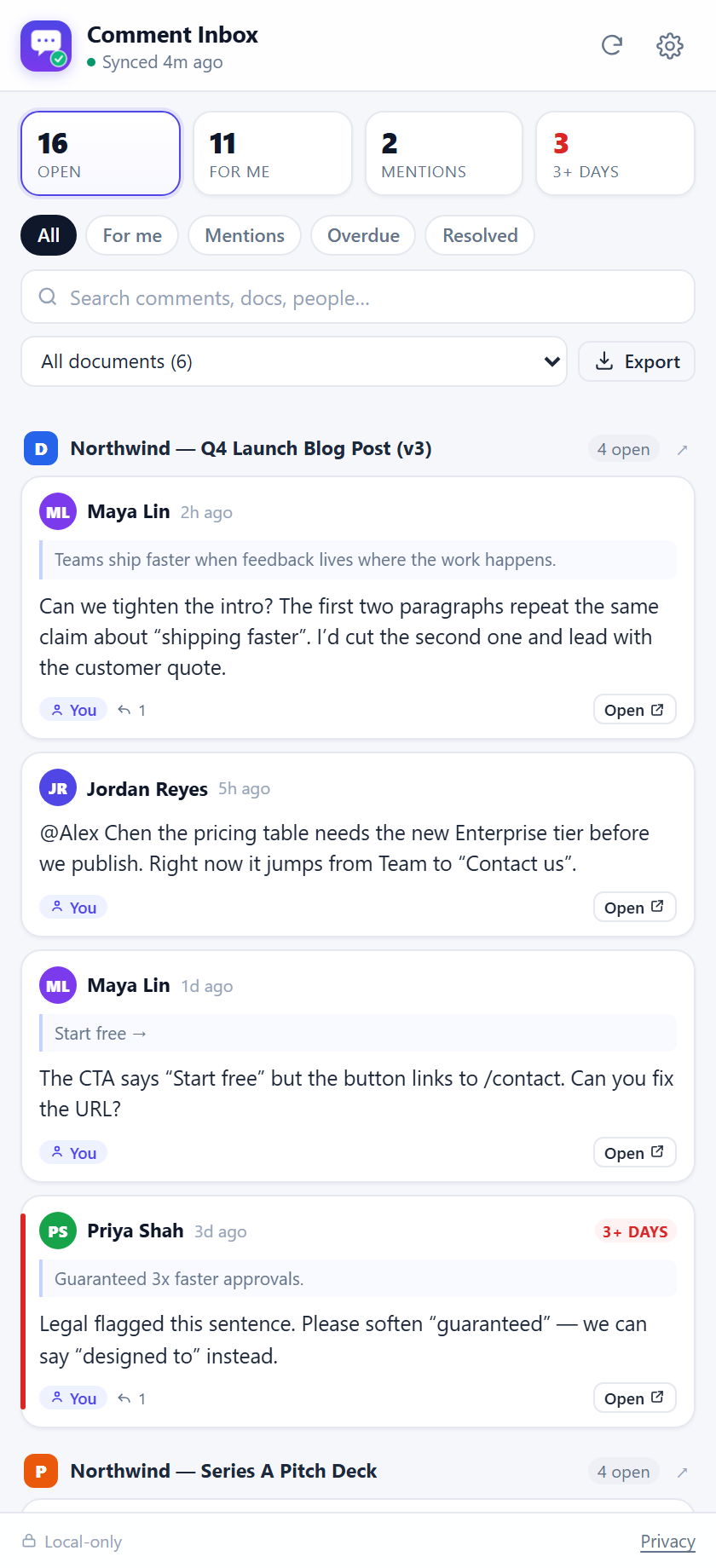
Everything you need to answer one question: what still needs my attention?
Scan the folders you choose and collect comments from Docs, Sheets and Slides in one list.
Google Docs shows assignments one document at a time. See every task that is waiting on you.
Catch the comments that fell through the cracks before a client has to ask twice.
Search comment text, quoted text, document names and authors across every folder.
Every row deep-links into the document thread. No scrolling, no guessing which comment.
Download the current view as CSV for a client update, a weekly report or a handoff.
It runs next to Google Docs, so checking the queue takes seconds.
Sign in with Google and grant read-only access. The extension never edits your files.
Choose the client or project folders to monitor. Subfolders are optional.
Filter, search, open the exact comment, export the report. Repeat tomorrow.
Comment Inbox never edits, deletes or shares your files. Comments are indexed in your browser's local database — there is no server to leak them from.
Yes. Comments from Docs, Sheets and Slides are all collected in the same inbox, and each row links back to the right editor.
No. The extension requests read-only access. You open the document to reply or resolve a thread.
In your browser's local IndexedDB, on your device. There is no Comment Inbox server and no analytics. Clear it any time from Settings → Data.
No. It only scans the folders you choose, and only Google Docs, Sheets and Slides inside them.
The extension is free while in early access. A Pro plan for larger teams is planned; the demo mode stays free.